
Business and guest Wi-Fi
Wi-Fi for staff, Wi-Fi for guests, never tangledBusiness Wi-Fi carries staff and operational devices; guest Wi-Fi gives visitors separated access.
What Business and guest Wi-Fi includes
Wi-Fi performance is shared airtime. Signal strength matters, but so do noise, interference, channel use, client capability, access-point load, uplink capacity, authentication and roaming behavior.
Predictive design estimates coverage from drawings and materials; on-site survey and post-install validation measure the real RF environment. Critical mobility workflows may also require application and client testing, not just signal readings.
Question to answer before designWhich devices and applications need service, where do they move, and what coverage, capacity, authentication, and roaming behavior do they require?
This service may fit when:
- Dead zones, sticky clients or unstable roaming disrupt work
- Guest traffic shares business or device networks
- New scanners, tablets, voice or high-density areas are planned
- Access points were placed from convenience rather than RF requirements
What the system includes
A complete scope covers each part below and the connections between them.
Client population
Managed users, guests, scanners, voice, IoT and specialty devices
RF cells
Channels, power, coverage overlap, interference and airtime
Wired edge
Cabling, switch uplinks and PoE serving each access point
Policy/services
Authentication, segmentation, DHCP/DNS and internet/application paths
How site information becomes a tested project
A complete project record connects the conditions found on site, the design decisions made from them, and the tests and closeout documents delivered afterward.
What we confirm before design
- Scaled floor plan, materials and ceiling conditions
- User/device counts, radio capabilities and movement
- Application throughput, latency and roaming needs
What those findings determine
- Design basis: Use device count, application and movement, not area alone.
- Survey: Increase field validation when materials, RF conditions or workflow consequence are uncertain.
- Authentication: Match identity, device management and revocation needs.
What you should receive
- Predictive RF and access-point plan
- AP/cable/switch/PoE schedule
- SSID, authentication and segmentation design
The exact inputs, decisions, and acceptance records depend on the site and signed scope.
Project stagesSurvey through closeoutView details
How the work moves from survey to closeout
Each stage should produce the records and test results needed before the next stage begins.
- 01
Requirements and RF inputs
Document areas, materials, users, device radios, applications, density and target behavior.
EvidenceCoverage/capacity requirements and device profile - 02
Predict and coordinate
Model access-point locations, channels, power, cabling, switch ports, PoE and mounting.
EvidencePredictive plan, AP schedule and wired-dependency check - 03
Configure and deploy
Build SSIDs, authentication, segmentation and radio settings; install at coordinated locations.
EvidenceConfiguration baseline and installed-location photos - 04
Validate service
Measure coverage, noise, channel use and agreed application/client behavior; tune exceptions.
EvidencePost-install survey, issue map and final configuration backup
Design choicesCompare the available approachesView details
How to choose the right approach
The right choice depends on the site, application, operating risk, and acceptance requirements. More equipment does not automatically improve the system.
What we need to know
- Scaled floor plan, materials and ceiling conditions
- User/device counts, radio capabilities and movement
- Application throughput, latency and roaming needs
- Existing RF survey and interference information
- Authentication, segmentation, internet and support policy
What you should receive
- Predictive RF and access-point plan
- AP/cable/switch/PoE schedule
- SSID, authentication and segmentation design
- Post-install validation report
- Final configuration, location and exception records
Equipment examplesSee relevant hardwareView details
Hardware that may be part of the project
These examples are not a final bill of materials. We confirm compatibility, availability, and the exact model after the requirements are clear.
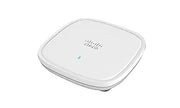
C9105AXI-B
Wi-Fi 6 (802.11ax), 2x2 MU-MIMO, indoor — entry-tier branch/small-office AP
Equipment planning price $290 ↗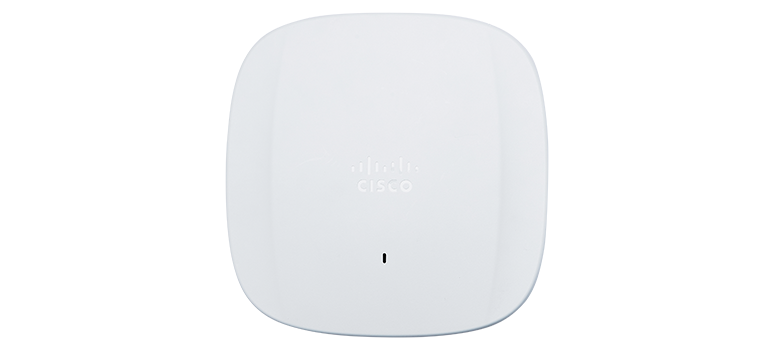
CW9166I-MR
Wi-Fi 6E (802.11ax), tri-band 4x4:4, indoor flagship, cloud-managed, up to 7.8 Gbps aggregate
Equipment planning price $2,375 ↗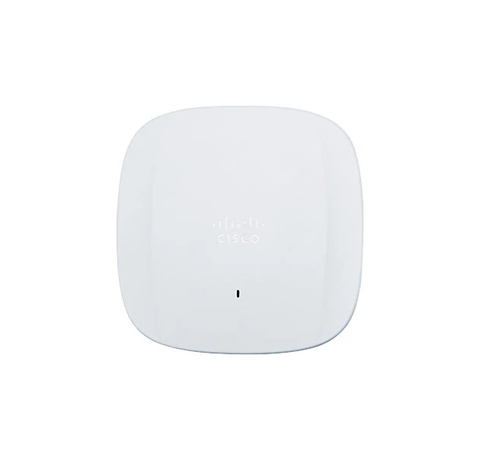
CW9163E-MR
Wi-Fi 6E (802.11ax), tri-band 2x2:2, outdoor — IP67, -40C to +65C, cloud-managed
Equipment planning price $2,400 ↗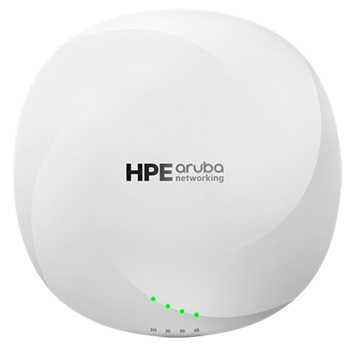
AP-635 (R7J28A)
Wi-Fi 6E (802.11ax), 2x2:2 tri-radio, indoor campus AP, 3.9 Gbps max aggregate
Equipment planning price $1,300 ↗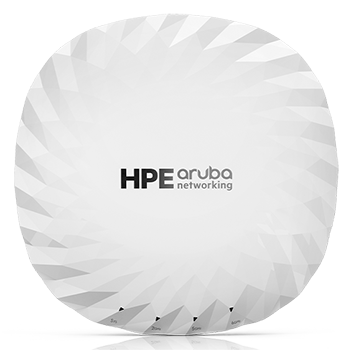
AP-735 (S1G43A)
Wi-Fi 7 (802.11be), 2x2 tri-radio, indoor, up to 9.0 Gbps aggregate
Equipment planning price $1,800 ↗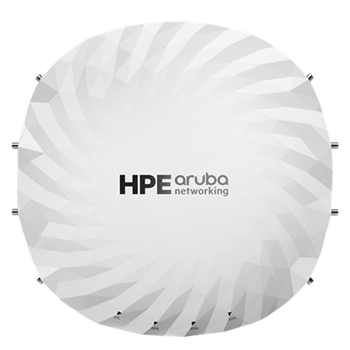
AP-755 (S1G85A)
Wi-Fi 7 (802.11be), 4x4 tri-radio, indoor flagship, up to 18.7 Gbps max aggregate
Equipment planning price $2,600 ↗When this service makes sense
- Office, retail, hospitality and education Wi-Fi
- Warehouse handheld and mobile workflows
- Staff/guest/device network separation
- Wireless refreshes and post-install validation
What we verify first
- Client device capability and driver behavior
- Building materials, interference and changing occupancy
- Available channels and regulatory domain
- Wired uplink, PoE, internet and upstream service limits
Site contextSee where this work is usedView details
How site conditions change the design
Occupancy, operating hours, user activity, regulation, weather, construction, and access can change the design.



What people usually ask
How many access points does a building need?
It depends on materials, geometry, channel availability, client count and capability, applications, desired signal/roaming behavior and wired constraints. Square footage alone is not enough.
Why can a device show strong signal but perform poorly?
Interference, congestion, retransmissions, client limitations, authentication delays, wired uplink issues or internet/application bottlenecks can all reduce service despite strong received signal.
Should guest Wi-Fi use the same network as business devices?
Guest traffic should normally be separated and restricted to the services it needs. The exact enforcement and user experience depend on the organization’s security and support policy.
Standards and referencesReview the source materialView details
Sources used for this guide
These references inform the guide. The adopted code, engineer of record, authority having jurisdiction, manufacturer instructions, and signed agreement control the project.
Official overview of the wireless LAN MAC and PHY standards family.
Open reference ↗BICSI · reviewed 2026-08-20BICSI Library of ICT Manuals and StandardsOfficial index for ICT installation, outside-plant, WLAN, DAS, data-center and bonding/grounding references.
Open reference ↗Telecommunications Industry Association · reviewed 2026-08-20TR-42 Telecommunications Cabling SystemsOfficial committee index for premises cabling, administration, optical fiber, pathways, bonding and grounding work.
Open reference ↗Cybersecurity and Infrastructure Security Agency · reviewed 2026-08-20Enhanced Visibility and Hardening Guidance for Communications InfrastructureRecommends purpose-based VLANs, ACLs, stateful inspection and DMZ constructs as layers in a broader segmentation strategy.
Open reference ↗