
Intercom and paging
The message arrives where it matters, at the right priorityIntercom handles two-way calls, paging distributes voice or tones, and mass communication coordinates urgent messages, each with its own coverage, priority, accessibility, and approval requirements.
What Intercom and paging includes
Intercom supports two-way conversations; paging distributes voice or tones to zones; mass communication coordinates urgent messages across one or more channels. A system may provide more than one function, but routine convenience audio should not be assumed to satisfy emergency or life-safety requirements.
Design inputs include ambient noise, acoustics, accessibility, message priority, supervision, network and power resilience, source authority, emergency plans, and interfaces to other systems. Required emergency systems need qualified design and authority review.
Question to answer before designWho sends each message, who must receive it, which zones apply, and what happens when a station, network path, or responder is unavailable?
This service may fit when:
- Visitors cannot reliably reach a staffed responder
- Announcements are unintelligible or spill into the wrong zones
- Multiple disconnected notification tools create conflicting messages
- Emergency, operational, and routine priorities have never been exercised
What the system includes
A complete scope covers each part below and the connections between them.
Originate
Intercom station, console, handset, software, scheduled or integrated trigger
Control
Permissions, zones, priorities, queues, presets, logging
Transport
IP network, analog circuits, amplifiers, supervised pathways, resilient power
Receive
Speakers, displays, mobile endpoints, visual and audible entry stations
How site information becomes a tested project
A complete project record connects the conditions found on site, the design decisions made from them, and the tests and closeout documents delivered afterward.
What we confirm before design
- Message types, originators, target groups, zones, and priorities
- Ambient noise, acoustics, indoor/outdoor conditions, and accessibility needs
- Existing emergency action plan and responsible design authorities
What those findings determine
- Use: Do not represent a convenience system as emergency notification without required design and approval.
- Zoning: Match control complexity to who is authorized to send which message.
- Transport: Consider existing pathways, network resilience, latency, interoperability, and serviceability.
What you should receive
- Message, permission, priority, and zone matrix
- Speaker/station plan and infrastructure calculations
- Interface and responsibility schedule
The exact inputs, decisions, and acceptance records depend on the site and signed scope.
Project stagesSurvey through closeoutView details
How the work moves from survey to closeout
Each stage should produce the records and test results needed before the next stage begins.
- 01
Map messages and people
Document routine, operational, entry, and emergency messages; originators; target zones; ambient noise; accessibility; priorities; and existing plans.
EvidenceMessage-and-zone matrix with originator roles, priority, target recipients, and site acoustic observations. - 02
Engineer coverage and control
Select station, speaker, amplifier, network, power, and interface architecture; model zones and escalation; coordinate required emergency systems.
EvidenceDevice and zone plan, load and network calculations, priority table, interface map, and required specialist reviews. - 03
Install and tune
Install, label, address, configure permissions and presets, balance levels, and set priority and fallback behavior.
EvidenceDevice inventory, labeled endpoints, configuration record, level settings, and installation photos. - 04
Exercise real scenarios
Test entry calls, routine pages, priority overrides, zone selection, failed endpoints, accessibility features, and approved emergency scenarios.
EvidenceScenario acceptance sheets, intelligibility or audibility observations, event logs, quick-start guides, and exception list.
Design choicesCompare the available approachesView details
How to choose the right approach
The right choice depends on the site, application, operating risk, and acceptance requirements. More equipment does not automatically improve the system.
What we need to know
- Message types, originators, target groups, zones, and priorities
- Ambient noise, acoustics, indoor/outdoor conditions, and accessibility needs
- Existing emergency action plan and responsible design authorities
- Network, power, pathways, amplifier locations, and resilience requirements
- Interfaces to access, video, clocks, fire alarm, telephony, or mobile notification
What you should receive
- Message, permission, priority, and zone matrix
- Speaker/station plan and infrastructure calculations
- Interface and responsibility schedule
- Scenario-based acceptance evidence
- Operator quick guides, administrator documentation, and test schedule
When this service makes sense
- Schools, warehouses, campuses, venues, and large commercial facilities
- Controlled entrances that need two-way visual and audible communication
- Operations with named shifts, departments, outdoor areas, or noisy zones
- Organizations willing to define message ownership and testing procedures
What we verify first
- Emergency and life-safety communication may require code-specific design, listed equipment, testing, and authority approval
- Audibility does not automatically mean intelligibility, especially in reverberant or noisy spaces
- Accessible communication can require visual, audible, and operable-part features beyond audio coverage
- Networked services depend on configured priority, bandwidth, endpoint health, power, and licensing
Site contextSee where this work is usedView details
How site conditions change the design
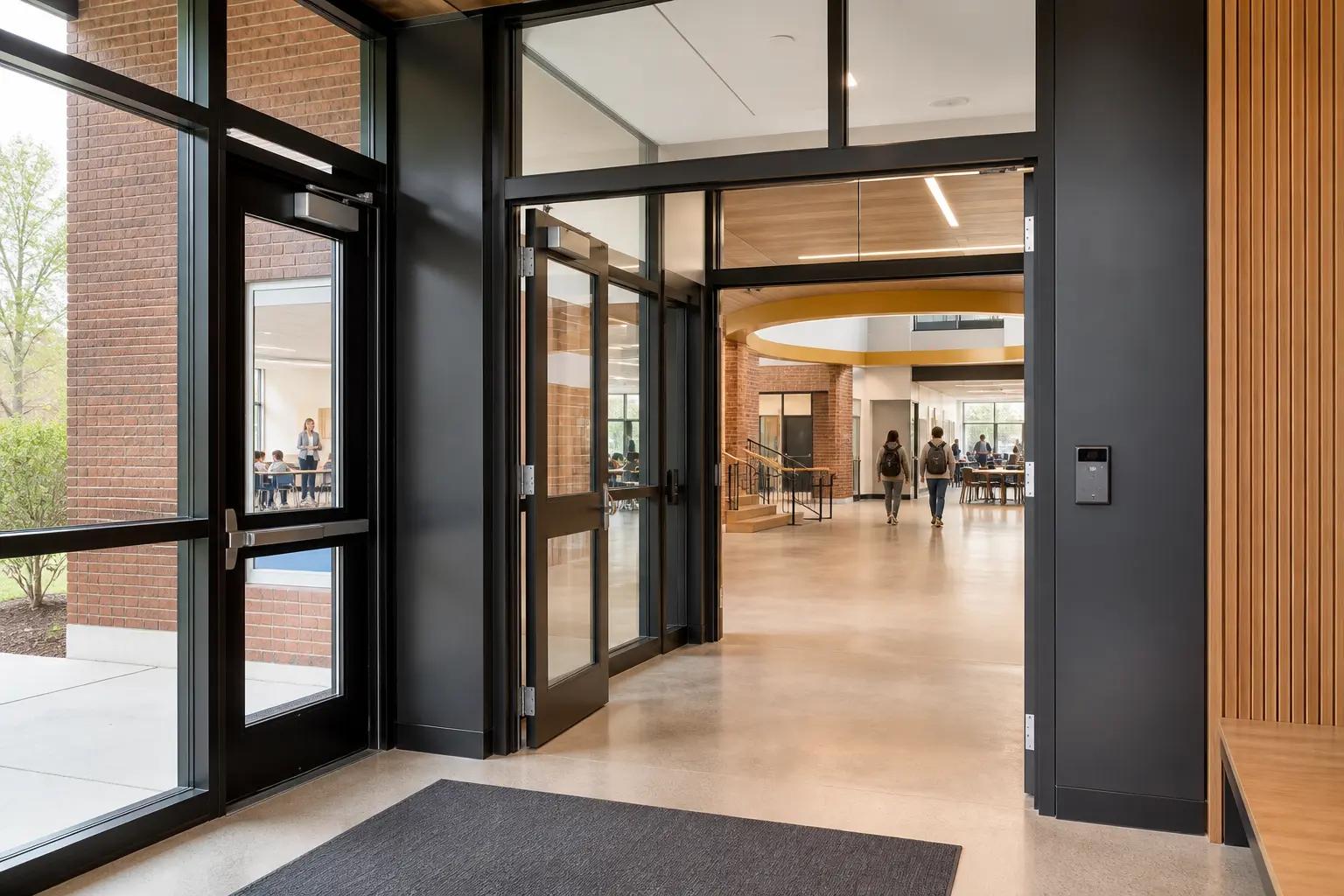
Occupancy, operating hours, user activity, regulation, weather, construction, and access can change the design.


What people usually ask
Is a paging system a mass-notification system?
Not automatically. Emergency use can add requirements for supervision, priority, intelligibility, accessibility, resilient power, procedures, testing, listed equipment, and authority approval.
How many speakers are needed?
The count follows room geometry, ceiling height, ambient noise, acoustics, coverage pattern, target level, zoning, and the message’s required intelligibility, not square footage alone.
Can intercom calls unlock a door?
Yes when the access platform and operating policy support it, but identity verification, permissions, event logging, network failure, accessibility, and safe door behavior must be designed and tested.
Standards and referencesReview the source materialView details
Sources used for this guide
These references inform the guide. The adopted code, engineer of record, authority having jurisdiction, manufacturer instructions, and signed agreement control the project.
Explains workplace alarm-system purpose, maintenance, testing, training, and early-warning considerations under 29 CFR 1910.165.
Open reference ↗Federal Emergency Management Agency · reviewed 2026-08-20IPAWS Program Planning ToolkitProvides a planning framework for alerting authority, procedures, testing, training, and multi-channel warning programs.
Open reference ↗United States Access Board · reviewed 2026-08-20Guide to the ADA Standards: Entrances, Doors, and GatesDescribes visual and audible features for two-way communication at covered entrances and accessible operable-part requirements.
Open reference ↗AVIXA · reviewed 2026-08-20Published StandardsCatalogs audiovisual documentation, performance verification, rack, labeling, audio, and related system standards.
Open reference ↗